
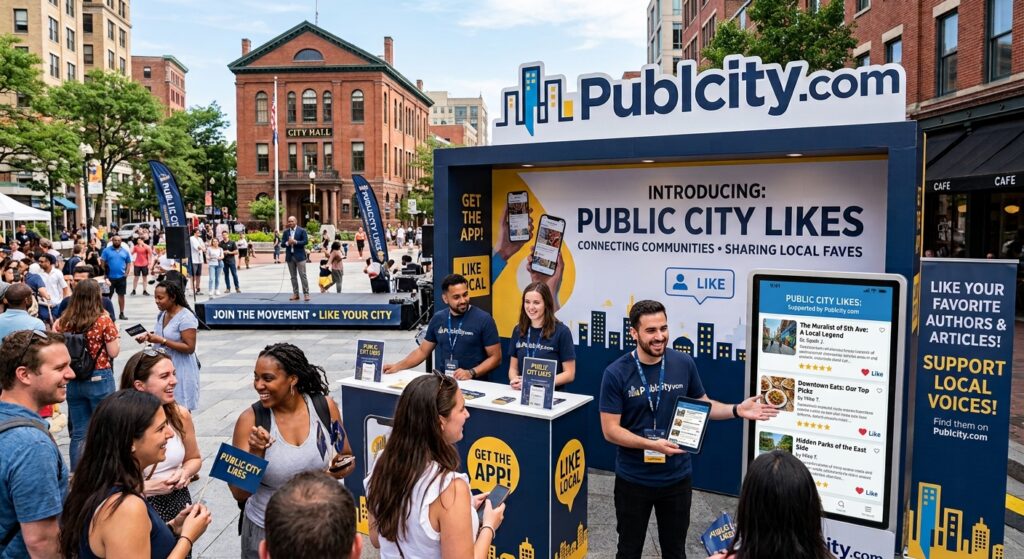
Publishing an article is only one part of building an audience online. What happens after someone reads it can be just as meaningful.
Did they find it useful? Did something in the article catch their attention? Would they recommend it to someone else?
On Publcity.com, readers now have a simple way to show their appreciation: Public City Likes.
The feature gives readers an easy way to interact with published articles without having to leave a comment, write a review, or share the article publicly.
What Are Public City Likes?
Public City Likes are a simple engagement feature available on Publcity.com articles.
When a reader enjoys, appreciates, or finds value in an article, they can use the Like button to show their support.
It takes only a moment, but for the person who published the article, that interaction can provide useful feedback.
Instead of wondering whether anyone connected with an article, publishers can see that readers are actively responding to their work.
Why Reader Engagement Matters
Website traffic is often measured through numbers such as pageviews, visitors, sessions, and time spent on a page.
These measurements are useful, but they don’t always tell the whole story.
Someone can visit an article and leave without taking any further action. Another reader might find the same article particularly useful and want to show their appreciation.
Engagement features give readers another way to participate.
A Like is not a replacement for detailed feedback or meaningful discussion, but it can be a simple signal that a reader found something worth acknowledging.
For writers and publishers, those small interactions can make the publishing experience feel less one-sided.
A Small Interaction With a Human Element
Online publishing can sometimes feel like publishing into a void.
You write an article, publish it, and then look at analytics to see whether people visited.
Likes add a small human element to that process.
A reader doesn’t need to compose a comment or create a social media post. If they enjoyed the article, they can simply click Like.
That creates a lightweight interaction between the reader and the person behind the content.
For independent writers, bloggers, businesses, and creators, that kind of acknowledgment can be encouraging.
Likes Can Help Publishers Understand Their Audience
A Like does not explain exactly why someone enjoyed an article, but it can provide another piece of information about reader response.
For example, a publisher might notice that certain types of articles consistently receive more engagement than others.
Over time, those observations can help publishers think about questions such as:
- Which subjects generate the most interest?
- What types of articles encourage readers to interact?
- Are practical guides receiving more engagement than opinion pieces?
- Which topics appear to resonate with returning readers?
- What content deserves further development?
Likes should not be treated as a complete measurement of content performance. They are simply one additional engagement signal that can be considered alongside traffic, comments, shares, and other forms of audience activity.
Supporting Writers Doesn’t Have to Be Complicated
Not every reader has time to leave a thoughtful comment.
That doesn’t necessarily mean they have nothing positive to say.
A Like provides an easy middle ground.
Readers can acknowledge useful, interesting, entertaining, or informative content without having to write anything.
For writers, seeing that interaction can provide encouragement to continue publishing.
And for platforms such as Publcity.com, these small interactions contribute to a more participatory publishing environment.
Why Publcity Is Adding More Interaction
Publcity.com is built around publishing and discovering professional content from writers, businesses, creators, and contributors.
As the platform develops, the goal is not simply to provide a place where articles are published.
It’s also about creating opportunities for readers and publishers to interact.
Features such as Likes make published content feel more connected to the people reading it.
A publishing platform can have thousands of articles, but the experience becomes more interesting when readers can participate rather than simply consume content.
A Like Is Not Majorly a Ranking
It’s important to understand what Public City Likes are designed to do.
A Like is primarily a way for readers to show appreciation and interact with content.
It should not be interpreted as an official editorial rating or a guarantee that an article is better than another article.
Different readers value different subjects and writing styles.
One article may receive many Likes because it addresses a popular topic, while another may receive fewer interactions even though it provides significant value to a smaller audience.
That is part of the diversity of online publishing.
Readers Can Help Build the Publishing Community
A publishing platform is ultimately made up of people: the people creating content and the people reading it.
Readers play an important role in that ecosystem.
Reading an article is already valuable. Sharing it, commenting on it, discussing it, or simply giving it a Like can provide an additional form of participation.
Small actions can contribute to a stronger sense of community around published content.
For Publishers: Keep Creating
For writers publishing on Publcity.com, engagement is one reason to keep experimenting with different ideas and subjects.
Not every article will receive the same response.
Some posts may attract traffic. Others may generate comments or shares. Some may receive Likes from readers who appreciated the content but did not leave a public response.
The important thing is to keep publishing useful, original content and pay attention to how audiences respond over time.
Public City Likes are simply another way to see that response.
A Simple Way to Say “I Liked This”
Online engagement doesn’t always need to be complicated.
Sometimes a reader simply wants to say:
“I liked this.”
That’s what Public City Likes are designed to make possible.
If you come across an article on Publcity.com that you find useful, interesting, informative, or simply enjoyable, take a moment to leave a Like.
It is a small interaction for the reader, but it can mean something to the person who took the time to create and publish the content.
And as Publcity.com continues to grow, those small interactions can help make the platform more than a collection of articles. They can help create a publishing community where writers publish, readers participate, and good content gets acknowledged.
Frequently Asked Questions About Public City Likes
What are Public City Likes?
Public City Likes are a simple way for readers to show appreciation for articles published on Publcity.com. If you find an article useful, interesting, or enjoyable, you can use the Like button to show your support.
How do I Like an article on Publcity.com?
Simply visit an article you enjoy and click the Like button. Your Like is recorded as a reader interaction with that article.
Do I need an account to Like an article?
No. Public City Likes are designed to make reader engagement simple, so readers can interact with articles without having to leave a comment or create an account.
Can I Like an article more than once?
Each reader is limited to one Like per browser for an article. This helps prevent repeated Likes from the same browser from artificially increasing an article’s Like count.
Can I remove my Like?
Whether a Like can be removed depends on the current Like settings on Publcity.com. The system may restrict repeated changes to help keep Like counts meaningful.
Do Public City Likes affect Google rankings?
No. A Public City Like should not be considered a Google ranking factor. Likes are primarily a reader engagement feature that allows people to show appreciation for published content.
Why should I Like an article?
If you enjoyed an article or found it useful, giving it a Like is a quick way to show support for the writer or publisher. Even a small interaction can help create a more engaging publishing community.
What happens when I click the Like button?
When you click the Like button, your Like is recorded for that article and the article’s Like count is updated. A browser cookie helps Publcity recognize that your browser has already voted, helping prevent duplicate Likes. An email notification is sent to the author of the post.
Lets highlight your brand?
Promote your article on Publcity to showcase your business, expertise, services or ideas.
Explore Sponsored Publishing Options → Promote your existing article choose our Write-for-you option.Submit Free Guest Posts
Have an original story, useful insight or professional perspective to share? Publcity welcomes contributions across Business, Marketing, Technology, Travel and Culture.
Review the submission guidelines before sending your article.